macOS · Menu Bar / Notch

Lyrics in your notch

Live, synced lyrics for Spotify, Apple Music, and YouTube Music. Right where the notch is.
macOS · Free and open source

Download for Mac View on GitHub

The build isn't notarized yet, so macOS blocks it on first launch. See how to open it below. Once it's running, hit ⌘⇧Y to toggle lyrics any time.

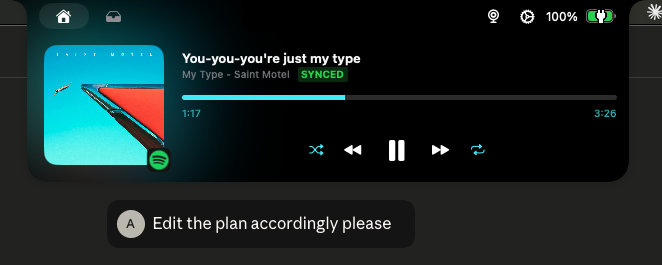
Notch player showing real-time synced lyrics in the MacBook notch
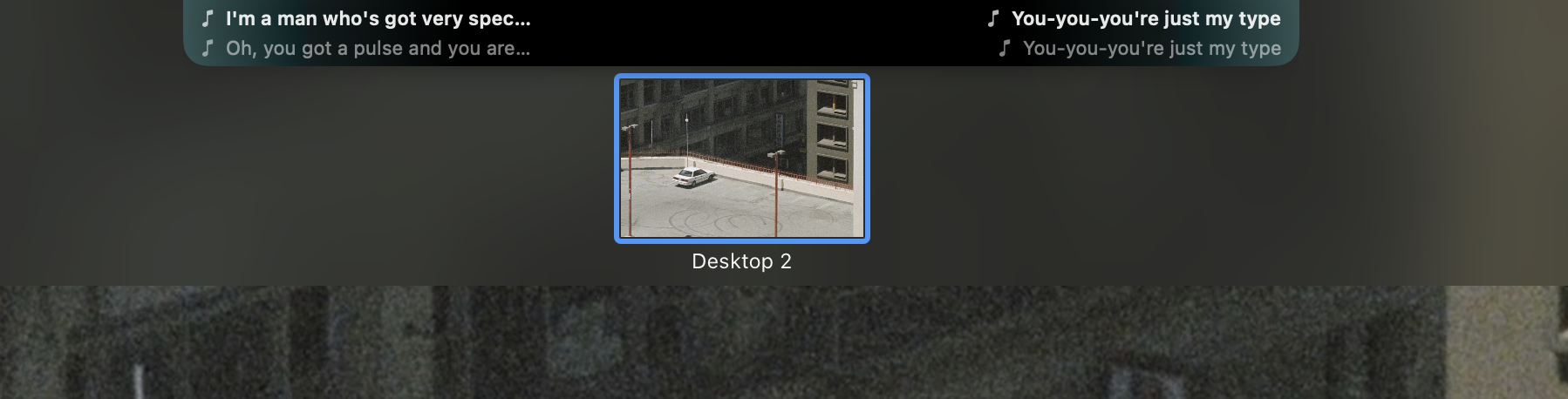
Flowing lyrics mode with the current line on the left and the next line on the right
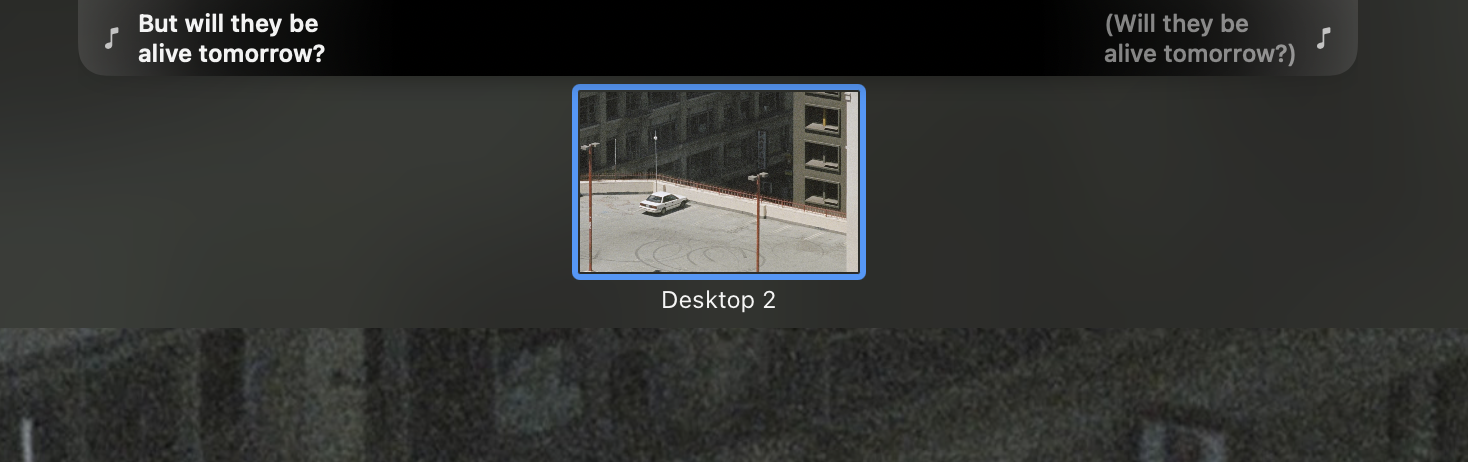
Alternating lyrics mode where the sides swap as the song progresses
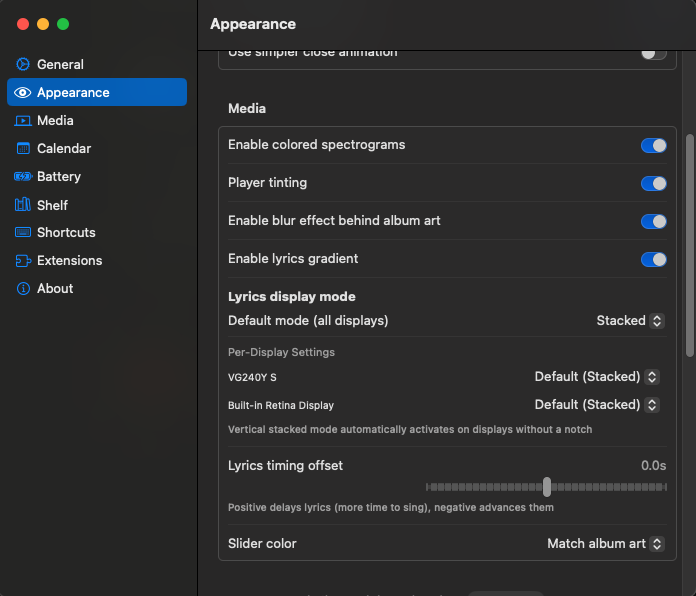
Settings panel for choosing lyrics display mode and timing offset
Capabilities

Lyrics in the notch, tuned to your setup

Real-time scrolling lyrics

Synced line-by-line to playback via LRCLIB.

Three display modes

Flowing, alternating, or stacked. Pick per monitor.

Works with your music

Spotify, Apple Music, and YouTube Music.

Getting started

First launch

Toggle lyrics any time with + + Y
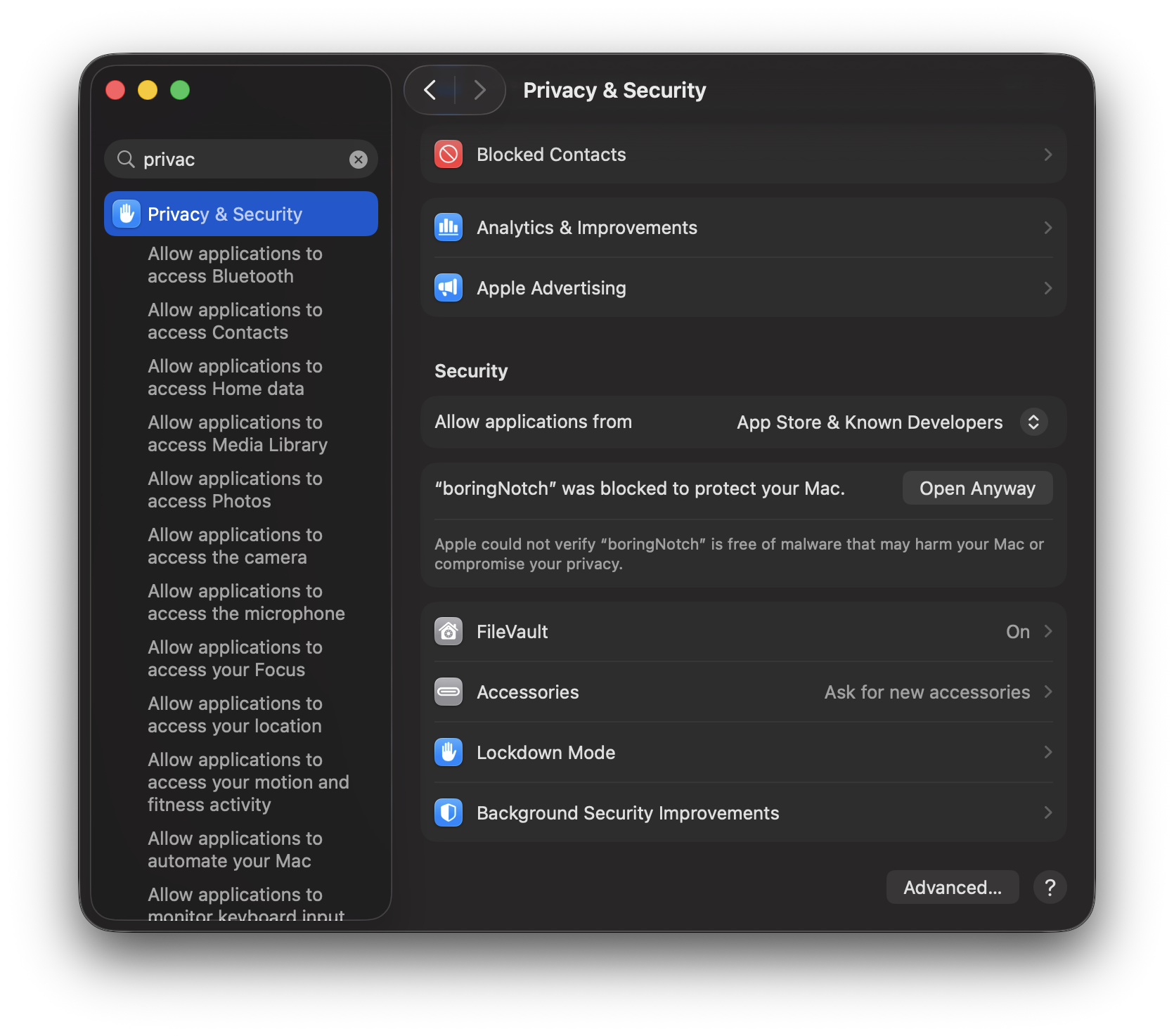
  1. The build isn't notarized, so macOS blocks it the first time you open it.
  2. Open System Settings → Privacy & Security and scroll down to Security.
  3. Next to "boringNotch was blocked", click Open Anyway.
  4. Confirm once, and it launches. You won't be asked again.
macOS System Settings, Privacy & Security showing the 'boringNotch was blocked' message with an Open Anyway button

Put lyrics in your notch.

Free. Open source. One download.